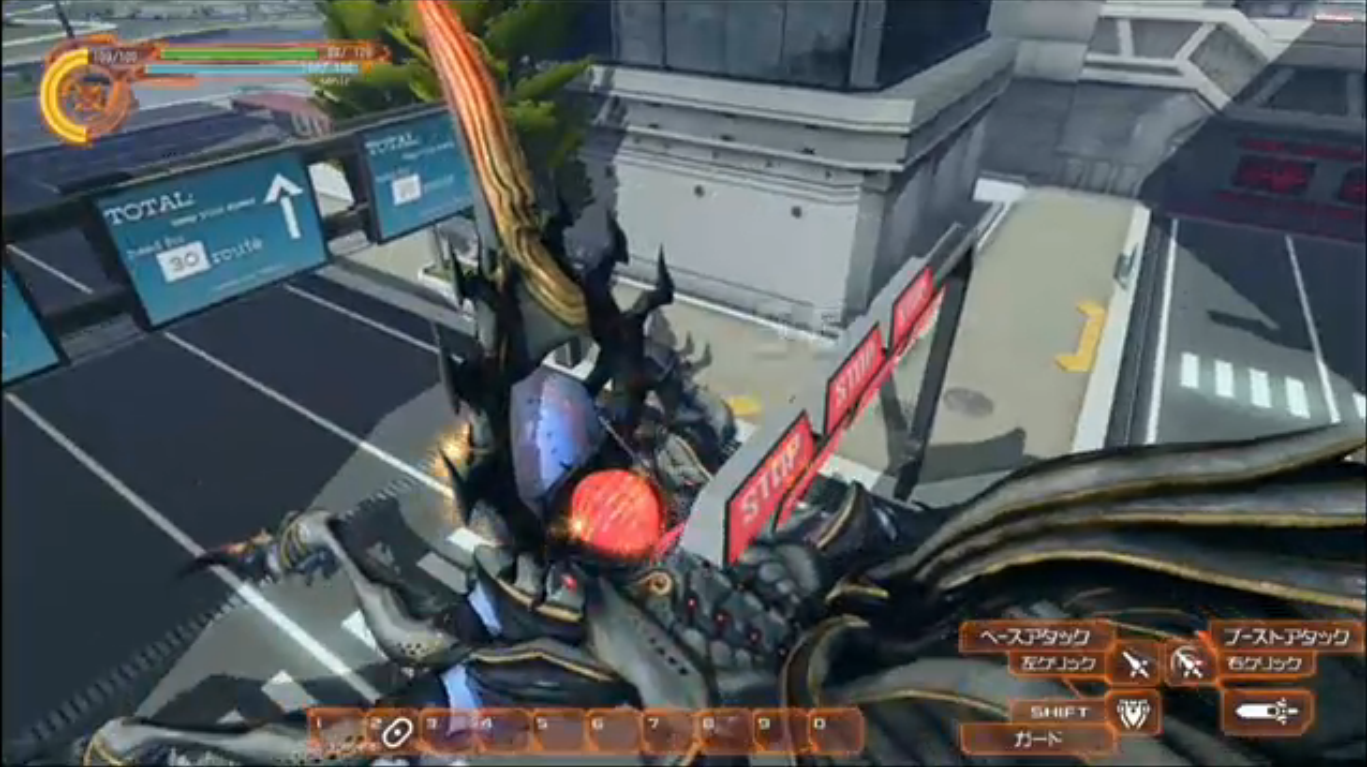
Phantasy Star Nova is now available to download from the Japanese PlayStation Store! If you wish to obtain the demo, you'll need a Japanese PlayStation Network (SEN) account.
[notification type="alert-info" close="false" ]
Phantasy Star Nova Demo Guide has moved to a new location![/notification][button style="btn-info btn-lg" type="link" target="false" title="Click Here to Access the New Guide!" link="https://www.bumped.org/psublog/phantasy-star-nova-guide/"]
Phantasy Star Nova Battle Demo Guide

Demo Information
- This demo features a battle against the Gigantes 'Agrios'.
- Character Creation, Story Progression, and Base functions are not available.
- Since the game is currently in development, some aspects will be different in the final version.
- The demo requires a Japanese PlayStation Network account to download.
- The demo requires 1,180MB of space.
- Players can provide feedback through a survey linked at the Live Area.
- In this game, instead of Photons they use Gran as their power source.
- Photon Arts are now called Gran Arts which consume GP instead of PP.
[tabs class="borderbottom"]
[tab title="How To Download" active="active"]
How to Download The Demo?

In order to download the demo, you'll have to setup a Japanese PlayStation Network account and reset the Vita to factory settings.
The best option for this is to use two memory cards, one for each region. If the account is already setup, just sign in, and you'll see a banner for the game on the front page. If not, press the search button at the top right corner and type Phantasy Star Nova in English.
Otherwise, follow the tutorials below.
[toggles class="yourcustomclass"]
[toggle title="(1) Setting up the PlayStation Vita"]
Before you reset the Vita to factory settings, please be sure to backup all your data. Within the restoration screen, it's imperative that you press [Yes] to deactivate the Sony Entertainment Network associated with the device.
When the PlayStation Vita goes through its initial settings, press [English] for your language settings and select [Japan] as your PlayStation Network Store. If you don't have a Japanese account yet, you can press that you do have a PlayStation Network account but want to set it up later.
Click [Creating a Japanese PSN Account] to continue.
[/toggle]
[toggle title="(2) Creating a Japanese PlayStation Network Account"]
It may be quite cumbersome to set up a Japanese PlayStation Network account on your Vita. To make things easier, we will create an account on the PC.

Open the Account Creation page in two tabs. In the first tab, change the Country/Region to Japan, and use the second tab to compare the information that must be entered in each field.

Most of the fields are exactly the same, except for two distinct areas. The date of birth must go in the [Year] [Month] [Day] order. In addition, you have to select a Japanese prefecture in the [State] field. One of Japan's most popular prefecture is the Tokyo Metropolis [東京都] area. You can select that area (as shown in the screenshot) to continue or choose a prefecture of your choice.
Pressing the black button on the bottom of the screen will create the account, and ask you to click a link in one of your emails to verify the address.
Click [Editing Account Details] to continue.
[/toggle]
[toggle title="(3) Editing Account Details"]
 This is the last major hurdle with the account creation process. First sign into the Sony Entertainment Network. In the top left area, click on Account Details [アカウント詳細] to see three major subsections.

The top section [Account] requires you to fill out your name. Unlike PSO2's registration form, you can type it out normally in English. Press the [編集] blue text underneath it to edit. This will ask for your [姓] Surname and [名] First Name. Press the blue square button to save, and you'll arrive at the previous page. Scroll down to the bottom, and click the blue link [編集] to edit the information. 
You could type gibberish information here or enter a somewhat plausible address. Alternatively, you can sign up at Tenso to acquire a legitimate Japanese address. The entries are as follows:
郵便番号: Postal Code
- Enter a 7 digit postal code here. You may search for one, or enter 1000000 and click the blue button to the right; which fills in another field automatically.
都道府県: Prefecture
- Should already be set for Tokyo Metropolis [東京都]
市区町村: Ward
- Gets filled in automatically based on the postal code.
住所1: Address 1
- Here you enter a district and three numbers with dashes.
- Ex: 内神田#-#-#
- Ex: 東神田#-#-#
Everything else can be left as is. Press the blue button at the bottom to save.
Click [Signing in to the Japanese PlayStation Store to continue the tutorial.
[/toggle]
[toggle title="(4) Signing in to the Japanese PlayStation Store"]

With your account details in place, you can now sign into the Japanese PlayStation Store from the Vita. Click the right [サインウップ] button to signup. Be sure to choose that you already have a SEN account in the following screens. Press the blue button on the right and head through the next few screens.

Here it will ask you to make up an Online ID. This cannot be changed after the signup process is complete.

This section should be completely filled out for you if you followed the entire tutorial, so press OK and keep going through the next 2 screens.

The last screen asks you to enter your privacy settings for friends lists and activities.
Friends List
- Everyone
- Friends of Friends
- Friends Only
- Private
Activities
- Everyone
- Friends of Friends
- Friends Only
- Private
After these are selected, you may press the OK button, and press the orange download button to acquire Phantasy Star Nova.
[/toggle]
[/toggles]
.[/tab]
[tab title="Menus and Options"]
Menu & Options

Main Menu
- Single Mode
- Multi-Mode (ad-hoc)
- Tutorial
- Options

Start Menu
アイテム
Item |
ストーリー
Story |
プレーヤー
Player |
帰還
Return |
システム
System |
アイテム
Item |
あらすじの確認
Summary |
ステータス
Status |
帰還
Return |
Settings
設定 |
装備
Equipment |
|
ゲストクルー
Guest Crew |
Dissolve Party
パーティー解散 |
セーブ
Save |
| |
|
|
|
ゲームを終了
End Game |

Options
- Control Settings
- Basic Settings
- Camera Settings
- Sound Settings
Options

Control Settings [Normal View] [TPS View]
- Control Type: (Type 1 / Type 2 / Custom)
- Attack 1
- Attack 2
- Jump
- Access
- Evasive Action
- Switch Main Palette
- Lock-On Toggle
- Switch Sub-Palette [Next]
- Switch Sub-Palette [Previous]
- Weapon Palette [Up]
- Weapon Palette [Down]
- AutoRun
- Main Menu

Basic Settings
- Radar Map Rotation Method: (Fixed / Rotate)
- Main Palette Operation: (Hold / Click)
- Lock-On Method: (Hold / Click)
- Target Cursor Selection Direction: (Camera / Character)

Camera Settings
- Horizontal Camera Rotation (Normal / Inverse)
- Vertical Camera Rotation (Normal / Inverse)
- Horizontal Camera Rotation Speed
- Vertical Camera Rotation Speed
Click the [Classes] tab to continue
[/tab]
[tab title="Classes "]
Classes

Classes
- ハンター Hunter
- レンジャー Ranger
- フォース Force
- バスター Buster
[toggles class="yourcustomclass"]
[toggle title="Hunters"]
A class that demonstrates its true worth in close range combat with high HP and defense.
Equippable Weapons
- Sword
- Partisan
- Double Saber
- Knuckle
- Halo
[/toggle]
[toggle title="Rangers"]
A class which excels at mid-range combat primarily through Shooting weapons.
Equippable Weapons
- Assault Rifles
- Twin Machine Guns
- Halos
.[/toggle]
[toggle title="Force"]
A class intended for long distant combat who excel at using Technics.
Equippable Weapons
[/toggle]
[toggle title="Busters"]
A new class intended for battling the Gigantes. It possesses equal ability in striking, range, and technic; and can equip all weapons, including Piles. (It appears Busters can only equip four weapons in the demo. We'll probably find out more information about what this means exactly in the future.)
Equippable Weapons
[/toggle]
[/toggles]
[/tab]
[/tabs]
[tabs class="borderbottom"]
[tab title=" Basic Combat Operations" active="active"]
Basic Combat Operations

The combat operations are set up similarly to PSO2. The  button is used for normal attacks, while the
  is used for Gran Arts and Technics.

Hold down the R button to access the back palette. This allows certain weapons to Guard through use of the R+ combination.
Other Notes
- Evasive action are performed by using the Left Stick+
 button.
- Tap on your character to switch to TPS mode.
- To use an item, tap on its icon in the sub-palette.
- To use a technic, long-tap on its icon in the sub-palette.

Halos are a new weapon category to assist with combating the Gigantes. Press the button to create a "Ring Field" to reach a higher altitude. Stand underneath it and press the button to teleport on top of the ring.

From here you have a direct shot at the weakpoint indicated by the yellow lights.

Piles are a new weapon category accessible by the Buster class in the demo. They fire these stakes known as 'piles' that attach to the enemy's skin. Attacking the location the Piles land makes that area more susceptible to attacks. This will also increase the chain number and burst gauge at a faster rate.
Click [Chaining and Gran Bursts] tab for more details.
[/tab]
[tab title="Chaining And Gran Bursts"]
Chaining and Gran Bursts

The chain number increases each time you or other party members attack an enemy. This will also increase the damage multiplier indicated at the top of the screen.

Attacking the area where the Piles land makes the chain number and burst gauge increase at a faster rate.

Once the Burst Gauge becomes full, it triggers a Gran Burst. Gran Bursts can provide various effects like increasing the EXP or Drop Rate. Once the burst is over, you'll be treated to the most obnoxious voice-over ever.
[/tab]
[/tabs]
[tabs class="borderbottom"]
[tab title="Changes from PSO2" active="active"]
Changes from PSO2

The game pretty much plays exactly the same as PSO2 with some slight differences; like rare enemies getting prefixed names on Planet Machia.
Hunter Class
Hunters are given a new sword GA which spins them vertically into the air like Tornado Dance. From here they'll promptly slash down at a diagonal angle.
This GA could be best described as the Partisan's Over End. It wraps the weapon in a sword of light.
In this Double Saber GA, you jump forward into an upside-down spin attack. The distance it travels is based on the enemy's location, so it won't let you pass over them.
With this Knuckle GA, you basically punch into a ball of light that expands with each hit. Then on the final blow, you thrust forward and it explodes.

PSNova doesn't have a dedicated "Weapon Action" button, so things like 'Guarding' have to be placed on the weapon palette.
Ranger Class
Rangers get access to Twin Machine Guns, which brings us a brand new GA. Basically, they launch themselves into the air, and shoot at the ground. After they land, they spin around and shoot from each side like the latter half of Messiah Time without the slow motion.
Since PSNova doesn't have a dedicated "Weapon Action" button, we were unable to perform a Stylish Roll. We can only speculate for now that it might be something you equip to the weapon palette.
Force Class

Technics work similarly to PSO2 with one interesting change. You can only perform charged Technics in the demo. This tends to be quite annoying as you'll still consume GP if you quickly tap the button.
When comparing the technics available in the demo, Gi Foie stands out as having better fireball animations than PSO2.
Buster Class
Pile Shooter fires piles that latch onto the enemy. It's primarily a situational GA used mainly for the Gigantes. From here you can optionally switch to another weapon type, and attack the piles directly.
Burn Smash is a Gran Art that swings the Pile sort of like a golf club.

With this Gran Art, you perform a forward somersault into the air, and shoot a Pile down at an enemy.

As the weapon name suggests, this Gran Art creates Halos around the character. The Halos are randomly fired at enemies dealing tons of damage.

If you've been following the previews, you've most likely seen this Gran Art before. It's called Resonance Cannon, as it shoots a large Gran energy beam.
Click the [Quick Impressions] tab to continue.
[/tab]
[tab title="Quick Impressions"]
Quick Impressions

Phantasy Star Nova for all intents and purposes is just an alternate take on Phantasy Star Online 2. It feels like they took the original prototype and upgraded the game on a slightly different path. Aside from the new content, everything pretty much feels exactly the same, with some graphical tweaks and upgrades here and there.
It feels like this game is going to have a more strategic approach than PSO2, since you won't have everything at your disposal at the beginning. Don't forget, you have to build up your base with Gran after all.

The graphics are gorgeous, if not a bit bloom heavy. The character models seem just a step below the PC version. This new planet feels quite alien compared to PSO2 where the stages felt ripped straight from Earth.

The controls are nothing to write home about. Due to the limited number of buttons on the Vita, some actions that were convenient to do on PC are now a little bit cumbersome. The first main gripe is the lack of a "weapon action" button, where now you have to push two buttons instead. Step dashing also requires two buttons, but luckily you can change that in options.
Casting technics from the sub-palette is definitely going to feel awkward for PC players. Long-tapping on the screen to cast them takes your hands off the controls for too long, disrupting the flow of gameplay. Perhaps a better solution could be using both the arrow keys and rear touch panel in a fashion similarly to the way it's done with gamepads in the PC version.
The addition of Halos brought a nice change of pace from the battles of PSO2. Now you have to plan where to place these floating platforms to get a better shot at the weakpoint. Interestingly, these platforms can also break when the Gigantes charges ahead.
As for the music, well…I was never a fan of Motoi Sakuraba, so because of that, none of the songs so far are convincing me to purchase the soundtrack. It would have been interesting to hear Tri-Ace utilize the Sympathy music system, but sadly none of the songs appear to be dynamic at all. Instead, music would play only when enemies appeared, then go silent afterwards. I guess in a way, this makes the game feel more atmospheric, so it's not entirely a bad thing. I'm just hoping they get Go Shiina to make a few songs.

One final note, they changed the voiceover for the Emergency Code. The new voice sounds extremely excited, and it gets ridiculous after finishing a Gran Burst.
[/tab]
[/tabs]