Warning! This post is updating in real time! Please take note as the information below is subject to change.
[/notification]
June 9th Stream
Secret Phrase
Say the phrase スクショ映えするロビアクちょうだい to receive two new Lobby Actions
June 13th Update Reminder
SG Scratch with Layered Wear outfits.
Simple Compound Technics
Simple Compound Technics will only be used through PP consumption.
They are available to Fo and Te, and can be set to Rod, Wand, or Talis.
You can place it to your Weapon Palette or Sub-Palette.
While their PP consumption is heavy, their effects are quite strong.
They unlock by clearing Marlu's Client Orders
Wand PA Heavy Hammer
It's set up with [Non-Charge], [Charge], and [2nd Charge] behaviors.
The PA is treated as a "Striking Attack"
For Lavis Canon, its shockwave attack can hurl out with the PA.
Pet Color Variations
Pet Color Variations come from rare eggs with a different color.
Dark Blast [Transparent Ver]
Transparent version can use your character's voice.
Arks Rappy Suit Mini
The Arks Rappy Suit Mini can drop on any difficulty. However, you'll have a better chance at nabbing it on Extra Hard.
Player Icons
Players under certain conditions will have icons overhead.
Beginners have an icon that looks like sprouting leaves.
Returners have an icon that looks like a blooming flower.
Returners are players who haven't logged in for more than 30+ days.
There's also a special bonus.
For example, partying with a returning player provides the effect:
Triboost + 50%
Featured Quest Reward + 1
Event Quest: Arkuma Land
Apostolo Dragon: A new reskinned boss will appear in the quest.
★14 Zirenheit NT will drop
The potential is the same, but the weapon will support S-Class Abilities
The Homura Series can be obtained as a drop or through Xie.
Homura weapon upgrade requires the following:
Homura Weapon +35 (and) 9 Stones of some kind.
Shien weapons support S-Class Abilities S1~S3
Guren weapons will instead have high base specs.
Basilis Collection File will be revived around the release of this quest.
Future Balance Adjustments
L/Air Reversal
L/Step Jump
L/Step JA Combo
L/J Reversal JA Combo
Skills in which you can acquire the effects of the aforementioned rings, will be added into the Skill Tree of each class. They will be implemented as Class Skills that unlock when you reach a certain level. You will be able to learn them without spending any Skill Points.
Divine Raikou
To prevent the over-reliance on Divine Raikou, the following will change. Rapid Shoot's recast time will be the equivalent of Divine Raikou's potential at level 3. In exchange, Divine Raikou will have a different potential.
The above mentioned balance adjustments should be implemented in October. In addition, those who own the items/rings mentioned above will receive some form of compensation in the future. You will qualify even if you embedded those rings.
If it doesn't load, right click and press [Copy Video URL] and paste in a tab.
Bullet Bow Mobility Adjustments
Bullet Bow will have some features to make it more nimble.
This can be seen through the video above.
You can attack and slide!
The sliding comes with some short invincibility.
All Weapon Double Jump Support
Gunslash will indeed receive double jump support in the future. For the barehanded fighting style, they're investigating whether it should support double jumps or not.
Make sure to read the previous recap to understand this section.
Mother & Deus Quest
They have no plans to revive the collection file, however, their ★13 weapons will be easier to drop. Any new weapons from this quest will remain a secret ♥!
Enchanted Forest Free Field
The Enchanted Forest will be updated as new enemies are added to Omega.
S-Class Ability Swapping [Under Development]
This is under development but they are working on a feature where you can swap S-Class Ability between weapons or something. It could be something like, you could swap [Weapon A's] and [Weapon B's] S-ability. They're going to charge Meseta for this service.
Phantasy Star Online 2es is the smartphone version of the popular online RPG Phantasy Star Online 2! Players utilize an arsenal of chips with various effects to fight against enemy forces.
Google Play Balance does not work outside of Japan. Credit and Debit cards will still work to purchase ARKS Cash.
Yasminkov 8000C enjoys a summer vacation! She is always waaaaaaay too pretty so avoid staring at her.
Chip
Description
① Boosts attack power by 110% + 10%(x) the number of Weaponoid chips equipped. SP: Boosts attack power by 120% + 10%(x) the number of Weaponoid chips equipped. [Q-Frame]
② All normal attacks, PAs and Techs become Just Attacks.
[Effect Duration] Long
① Increase power dramatically. [F-Frame]
② Further slightly boosts the effect of ① in boss battles and Tower Quests based on the number of Wind chips equipped. ③ Extends the effect duration when this chip is activated if a Wind chip is in this chip's link slot. ④ Reduces the chip cost of Wind Photon Arts / Technics while this chip is equipped. [Effect Duration] Long
Flow Razor
フロウレイザー
Available until August 7th
① Increases damage based on the number of light chips equipped. [R-Frame]
② Reduces CP consumption based on the number of light chips equipped.
[Trigger Condition] Just Attacks [Effect Duration] Long
Amnesiac Girl Matoi [TCG]
過去を失いし少女 マトイ[TCG]
Available until July 24th
① Boosts damage by 27% each time you use a PA or Tech. (Maximum boost: 135%)
② Increases lightning element value.
[Trigger Condition] Just Attacks [Effect Duration] Long
Dream Master
ドリームマスター
Available until August 7th
▼▼ AC version of this esScratch ▼▼
① Greatly increases ATK.
② Heavily increases power for Fire, Lightning, and Light PA/Technic chips.
[Trigger Condition] Just Attacks
[Duration] Normal
Personifier of Justice Hitsugi [Premium]
正義の具現者 ヒツギ[プレミアム]
PSO2es is region-locked in the Google Play Store. Please use the .apk file linked at the top of this post to install the game.
Everyone starts at level 1 regardless of their PC/Vita/PS4 progress.
The current PSO2es level cap is Lv. 85.
Subclasses are not available in PSO2es.
Accessory Slot 2 and 3 are not available in PSO2es.
Some accessories will not display in PSO2es.
You can not log into PSO2 and PSO2es at the same time.
PSO2es friends list is separate from the PC/Vita/PS4 version.
You can obtain campaign items by pressing the item bag icon in your mailbox.
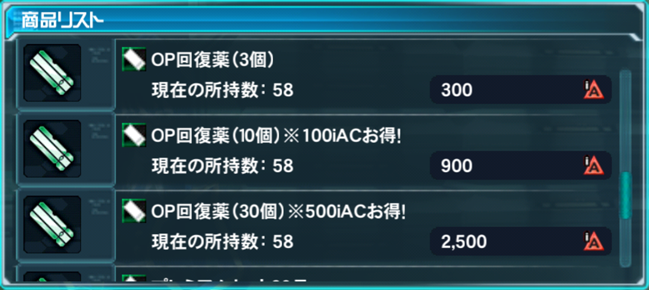
Rewards like Rappy Medals and OP Meds can be retrieved from your mailbox.
PSO2es has its own exclusive Emergency Quests.
PSO2es has Push Notifications to alert you of PSO2 and PSO2es Emergency Quests.
Those with active [Premium Sets] will receive notifications 1 hour in advance for PSO2 Emergency Quests.
You can purchase AC with your Google Wallet directly within PSO2es.
Some items in PSO2es will drop with the [Soul Receptor], [Factor Receptor] and [Extreme Receptor] special abilities. When used during affixing, it greatly boosts the success rates of soul, factor and Flict/Alter type abilities.
Players can receive rare drops daily through the [Quick Search] button. Check the [Quick Search] toggle in this guide for more details.
Receive [Assistance Request] alerts for PSO2es Emergency Quests.
【PSO2】緊急クエストの発生直前通知
Receive alerts for Emergency Quests 15 minutes before they appear in PSO2.
【PSO2】緊急クエスト発生1時間前の発生直前通知
Receive alerts for Emergency Quests 1 hour in advance for PSO2.
[/toggle]
[toggle title="How to Purchase AC from PSO2es"]
Shop Menu
After you reach the lobby menu, tap the [Shopping Basket] icon at the bottom of the screen. This opens a menu like in the screenshot above.
Shop Menu
ACチャージ Buy AC
ACショップ AC Shop
プレミアムセット使用 Premium Set
An age confirmation screen may appear during your initial ARKS Cash purchase. Input your birth year and birth month and press the bottom button to continue. This birthday check limits the amount of AC a minor can purchase within a certain time period.
Tap the amount you wish to purchase. A Google wallet window will pop up asking you to verify your payment information.
[/toggle]
[toggle title="EXP Ticket Login Bonuses"]
Players who linked their PSO2 accounts will receive [EXP 15,000] tickets for each day they log in.
[Account Based Login Bonus] Rewards
Day 1 = 2x [EXP 15,000] Tickets or (4x tickets for premium)
Day 2 = 2x [EXP 15,000] Tickets or (4x tickets for premium)
Day 3 = 2x [EXP 15,000] Tickets or (4x tickets for premium)
Day 4 = 2x [EXP 15,000] Tickets or (4x tickets for premium)
Day 5 = 2x [EXP 15,000] Tickets or (4x tickets for premium)
EXP Tickets can not be used in PSO2es. These tickets will be sent either to your Item Pack or your Mailbox if your Item Pack is full.
[/toggle]
[toggle title="Collection Search"]
Collection Search
New Feature: Collection Search
Collection Search allows you to slightly fill your Collection Sheet gauges in PSO2es! You can access this in the PSO2連動 menu in PSO2es.
Collection Search Quick Rundown
You can use this feature for FREE once per day.
Using it 2 or more times a day will cost AC.
Collection Search usage will reset at 5am JST each day.
When the gauge is maxed out, you'll need to pick up the item in PSO2.
There's also a chance for your Collection Search to be [Very Successful]. When this happens, the gauge will increase at a higher rate than normal.
[/toggle]
[toggle title="PSO2es Storage"]
PSO2es Storage
Players with linked accounts will gain access to PSO2es storage by logging into PSO2es. This storage box contains 100 item slots. Since this storage is ship based, items stored within PSO2es Storage will not transfer along with you when you change Ships.
Players who fail to log into PSO2es within 30 days will not be able to place items into PSO2es Storage. You may still take items out of PSO2es Storage even if you don't log into PSO2es within 30 days.
Keep a periodic backup of your 16-digit device transfer code.
You may not be able to log into the game if you lose this code!
Check "Device Transfer" tab in the guide for more details.
[/notification]
Getting Started
Hello and welcome to Phantasy Star Online 2es. Throughout the game you will be assisted by Seraphy who will be teaching you the ins and outs through various tutorials. After installing the game you will be given a menu with several choices. Click on the tabs below to see an explanation of the various functions.
Startup & Configurations
[tabs class="smaller"]
[tab title="Startup" active="active"]
Initial Screen
初めてプレイする (First Time Players)
ファンタシースターオンライン2をプレイしている (PSO2 Players)
端末を引き継ぐ >> (Device Transfer)
If you are a first time player, press the button on the left. If you already have an account with PSO2, select the button on the right.
Device Transfers allow you to restore your character data onto another device. This will be displayed as a 16 digit code which must be copied and kept in a safe place for future reference. During PSO2's initial startup, you may enter the code here to access your previous data. This code can be retrieved from the Lobby Menu. However, if you have forgotten your 16 digit code, there is a new button to send the code to the email address registered to the SEGA ID.
Click on the [Device Transfer] tab for more information.
First Time Players
After selecting First Time Players, you will be sent to the character creation interface. After selecting the race, gender, and class, you will be presented with two buttons that ask whether to:
ゲームをはじめる (Begin the Game)
キャラクターをカストマイズする (Customize the Character)
If you select the bottom option, you will have to download another patch to enable the character customization feature.
PSO2 Players
After the initial startup, you can login with your SEGA ID and Password. The checkboxes below each entry will save that content for future use. Next, select a character to start the lengthy tutorial.
Do you have A SEGA ID?
If you currently do not have a SEGA ID, press the button on the left. If you do have a SEGA ID, press the button on the right.
Forgot your 16 Digit Code?
If you have forgotten your 16 digit password, you can press the button on the lower right corner to send the password to the email address registered with the SEGA ID.
Secret Password Retrieval
Press the button on the left to send the 16 digit code to the email address registered on the SEGA ID account.
[/tab]
[tab title="Login"]
Login Menu
Login Menu
キャラクター切り替え : Switch Characters
オプション: Options
ゲームをはじめる: Start Game
Switch Character Menu
Switch Character Menu
PSO2es専用キャラクター: PSO2es Exclusive Character
PSO2連動キャラクター: PSO2 Linked Character
端末認証: Device Authentication
Device Authentication
Those without a SEGA ID push the left button, and those who have one should push the right button.
For more information on Device Authentication, please click the "Device Transfers" tab.
Login Bonus Screen
Collect stamps and receive rewards when you login each day!
Traveling Companion Rewards
Whenever someone uses your character as a traveling companion, a screen will display upon logging in showing the amount of FUN you received since you last logged in.
[/tab]
[tab title="Device Transfer"]
Recovering the Transfer Code
Forgot your 16 Digit Code?
If you try to login to PSO2es on another device, you will be required to enter a 16 digit code. If you have forgotten your 16 digit password, you can press the button on the lower right corner to send the password to the email address registered with the SEGA ID.
Secret Password Retrieval
Press the button on the left to send the 16 digit code to the email address registered on the SEGA ID account.
Preserving the Transfer Code
PSO2es offers the option of letting you save your Transfer Code for future use. In order to access this, you'll need to tap the [その他 Other] button in the Main Menu. Afterwards tap the first button with the yellow gears.
Once this menu opens up, tap the button with the little cell phone icon: Device Transfer Info [端末引き継ぎ情報].
Clicking the large button automatically copies the code to the clipboard. Save this code in a location that can be accessed off of your cellphone.
[/tab]
[tab title="Controls"]
Seraphy will teach you basic combat operations throughout the tutorial. You can swipe the screen in each direction to dash out of an oncoming attack and tap on the screen to attack each enemy. You may switch targets by tapping the arrows at the left and right side of the screen.
You'll obtain various chips along the way, and equip them to your chip palette. We'll talk about chips in more detail in another section. However for the sake of this tutorial, you'll need to know that some chips act as healing items, and some are photon arts that may require certain weapon types.
[/tab]
[/tabs]
The Main Lobby
After completing the tutorial, you’ll be transported to the main lobby. This menu will provide access to an assortment of features.
[button style="btn-info btn-lg" icon="fa fa-rocket" align="center" iconcolor="#ffffff" type="link" target="false" title="Learn About The Main Menu" link="https://www.bumped.org/psublog/pso2es-menu-guide/"]
Emergency Quests
Emergency Quests contain rare bosses that appear for a limited period of time. You can participate in the quest by pressing the [Depart] button that appears when an Emergency Quest is available. These quests use their own form of energy called Operation Points, indicated by the OP Bar at the top of the screen.